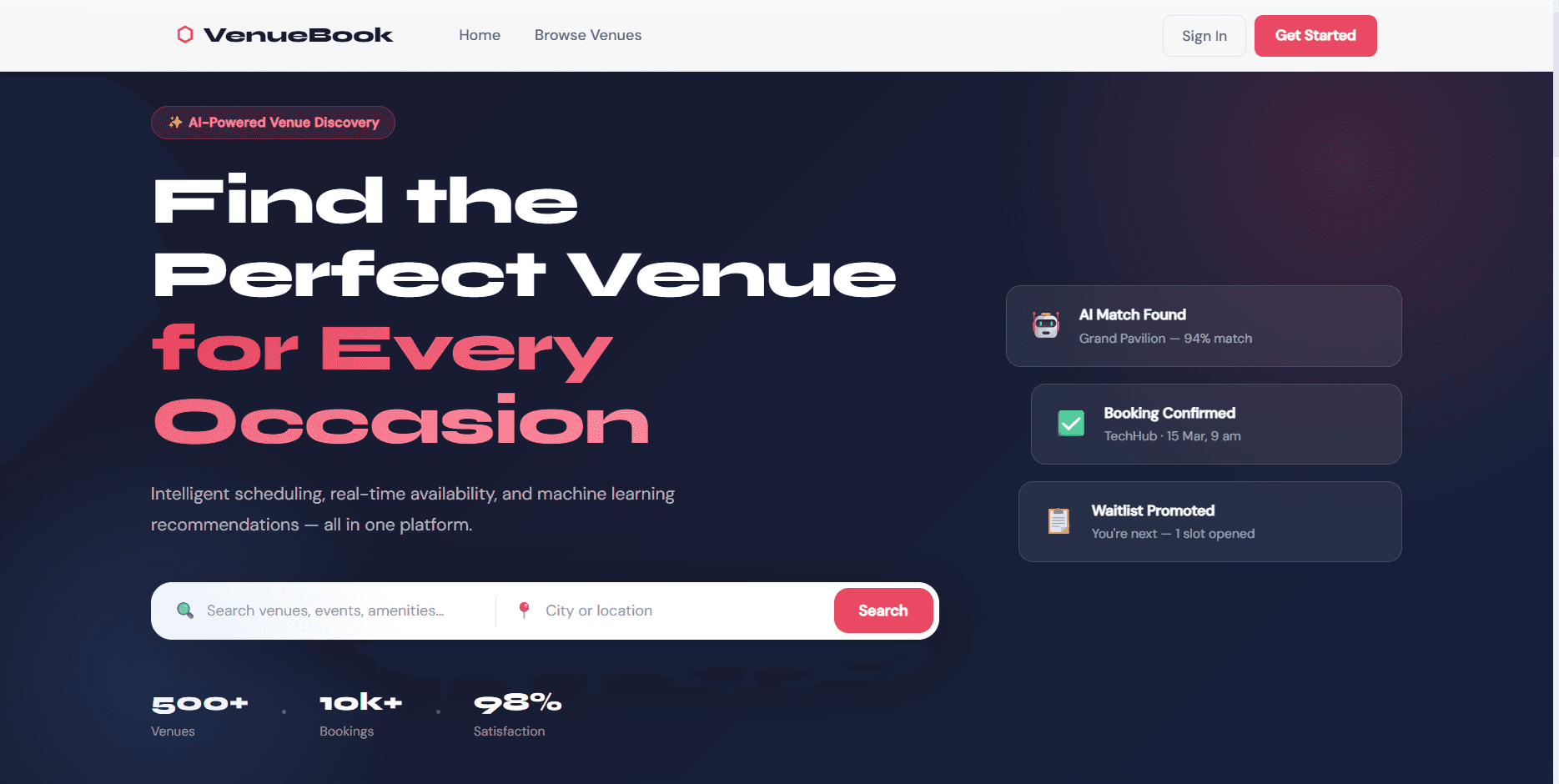
VenueBook - Intelligent Venue Booking System
Client
Kul Prasad
Year
2025
Tech stack
React 18, React Router v6, Recharts, Axios, Leaflet, React Leaflet, React Toastify, date-fns, CSS Modules, Node.js, Express.js, MongoDB, Mongoose, JWT, bcryptjs, Multer, Nodemailer, Helmet, express-rate-limit, express-validator, Morgan
About
People can search venues, check real time availability, book in a few clicks, or join a waitlist when a slot is taken. It also suggests venues that fit the event and shows how busy dates are likely to be, with separate dashboards for users, venue owners, and admins.
The Problem
Booking a venue for a wedding, conference, sports day, or party is still a slow back and forth process. You email or call around, wait for someone to check a paper diary or a spreadsheet, and often find out days later that your date was already gone. Two people can ask for the same slot and both think they have it. Venue owners lose time answering the same questions and manually chasing enquiries, and they have no clear picture of which of their spaces actually make money. Customers have no easy way to compare venues, see honest availability, or get on a list if their first choice is full. There was no single place that handled searching, checking real availability, booking, waitlisting, and reporting in one flow.
What I Built
I built a complete venue booking platform with a React front end and a Node and Express API backed by MongoDB. It handles the full journey: a visitor browses venues on a map and by category, opens a venue to see live availability for a chosen date, submits a booking request, and gets an instant answer. If the time slot clashes with a confirmed booking, the system does not just reject the request, it places the person on a waitlist in order and promotes them automatically when the slot frees up. Venue owners get their own area to list spaces, upload photos, approve or reject requests, and review change requests from customers. Admins get a control panel for users, venues, bookings, and revenue reporting. On top of the core booking flow there is a recommendation engine that scores every venue against the event details and the user's past bookings, plus a demand forecast that flags how busy a date is likely to be. Accounts use email verification, password reset, and role based access so each type of user only sees what they should.
Key Features
Venue search and filtering by category, city, capacity, price, and amenities, with a map view.
Real time availability check for any date before a booking is made.
Instant booking with automatic conflict detection so two confirmed bookings can never overlap.
Smart waitlist that queues people in order and promotes the next person automatically when a booking is cancelled.
AI style recommendation engine that ranks venues using rating, capacity fit, budget, event type, and booking history.
Demand forecast that labels a date as low, moderate, high, or very high based on season, weekend, and recent booking volume.
Role based accounts for regular users, venue owners, and admins, each with its own dashboard.
Venue owner tools to add and edit listings, upload images, and approve, reject, or review booking changes.
Admin panel for managing users and venues, viewing all bookings, and reading a twelve month revenue and top venue report.
Secure accounts with email verification, forgot and reset password, JWT login, rate limiting, and password hashing.
Project Details
How it works
The app is split into a React single page front end and an Express REST API that talks to MongoDB through Mongoose. Everything the user sees, from the home page to the dashboards, is driven by calls to that API.
A visitor starts on the venues page, where they can filter by event category, city, guest capacity, price per hour, and amenities. Each venue has a detail page with photos, a description, a map location, reviews, and an availability checker. The user picks a date and time, and the system looks at all confirmed bookings for that venue and tells them whether the slot is free.
When the user submits a booking, the API runs a conflict check. It searches for any confirmed booking on the same venue and date whose time range overlaps the requested one. If there is no clash, the booking is created as pending and waits for the owner to confirm. If there is a clash, the booking is saved with a waitlisted status and a position number, so the person keeps their place in line instead of losing out completely. When a confirmed booking is cancelled, the API automatically finds the next waitlisted booking for that venue and date and promotes it to confirmed, and it also flags the first person on the separate interest waitlist so they can be notified.
The recommendation engine is a weighted scoring model. For each venue it combines five signals: the venue rating, how well the capacity matches the guest count, whether the price fits the budget, whether the category matches the event type, and how similar the venue is to what the user has booked before. Each signal has a fixed weight, the scores are added into a single number between zero and one, and venues are sorted from best to worst. The app also generates short plain English reasons for each suggestion, such as "Perfect capacity match" or "Within your budget". Alongside this, a demand forecast looks at the target date and recent booking activity. It checks whether the month is peak season, whether the date is a weekend, and how many bookings were made in the last seven days, then returns a demand level with advice like "High demand expected, early booking recommended".
Venue owners sign in to a dedicated area where they create listings, upload images, and manage incoming requests. They can confirm or reject pending bookings, and when a customer asks to change the date, time, or guest count, that arrives as an edit request the owner can approve or decline, with the price recalculated automatically. Admins have a wider view: paginated lists of users and venues with search, the ability to change roles or deactivate accounts with safety checks such as never removing the last admin, a full booking list with filters, and reports covering revenue by month and the top five venues by bookings.
What it needs
It runs on Node.js 18 or newer and a MongoDB database, either local or a hosted cluster such as MongoDB Atlas. The backend needs a few environment values: the database connection string, a JWT secret, and email credentials for sending verification and reset messages. The front end needs the API URL. A seed script fills the database with sample venues, users, bookings, reviews, and waitlist entries plus ready made demo accounts, so the whole system can be explored straight away. Both servers start together with a single command in development.
Summary
VenueBook takes a process that is usually spread across phone calls, emails, and spreadsheets and turns it into one clear online flow. Customers find and book the right space with honest availability and a fair waitlist. Owners manage their venues and requests in one place and can see what performs. Admins keep an eye on the whole platform. The recommendation and forecasting layer adds a helpful nudge on top, guiding people toward venues that actually fit their event and dates that are not about to sell out.
Screenshots
The Result
The finished product is a working end to end booking system rather than a demo of a single feature. It covers ten connected areas: search, availability, booking, waitlisting, recommendations, demand forecasting, reviews, owner management, admin control, and secure accounts. The conflict check makes double bookings impossible for confirmed slots, and the automatic waitlist promotion means freed slots get filled without anyone doing it by hand. The recommendation engine returns ranked venues with readable reasons in a single request, and the admin reports turn raw booking data into a twelve month revenue view and a top venue list. Built as an MSc project, it shows a full stack app with real world booking logic, role based security, image uploads, transactional email, and a lightweight machine learning style scoring model, all running from one codebase.